Theme Installation By WordPress
After you download the package from ThemeForest, please unzip it. You'll see a file called theme.zip, which is the main file needed to upload and install.
Login to your WordPress Dashboard.
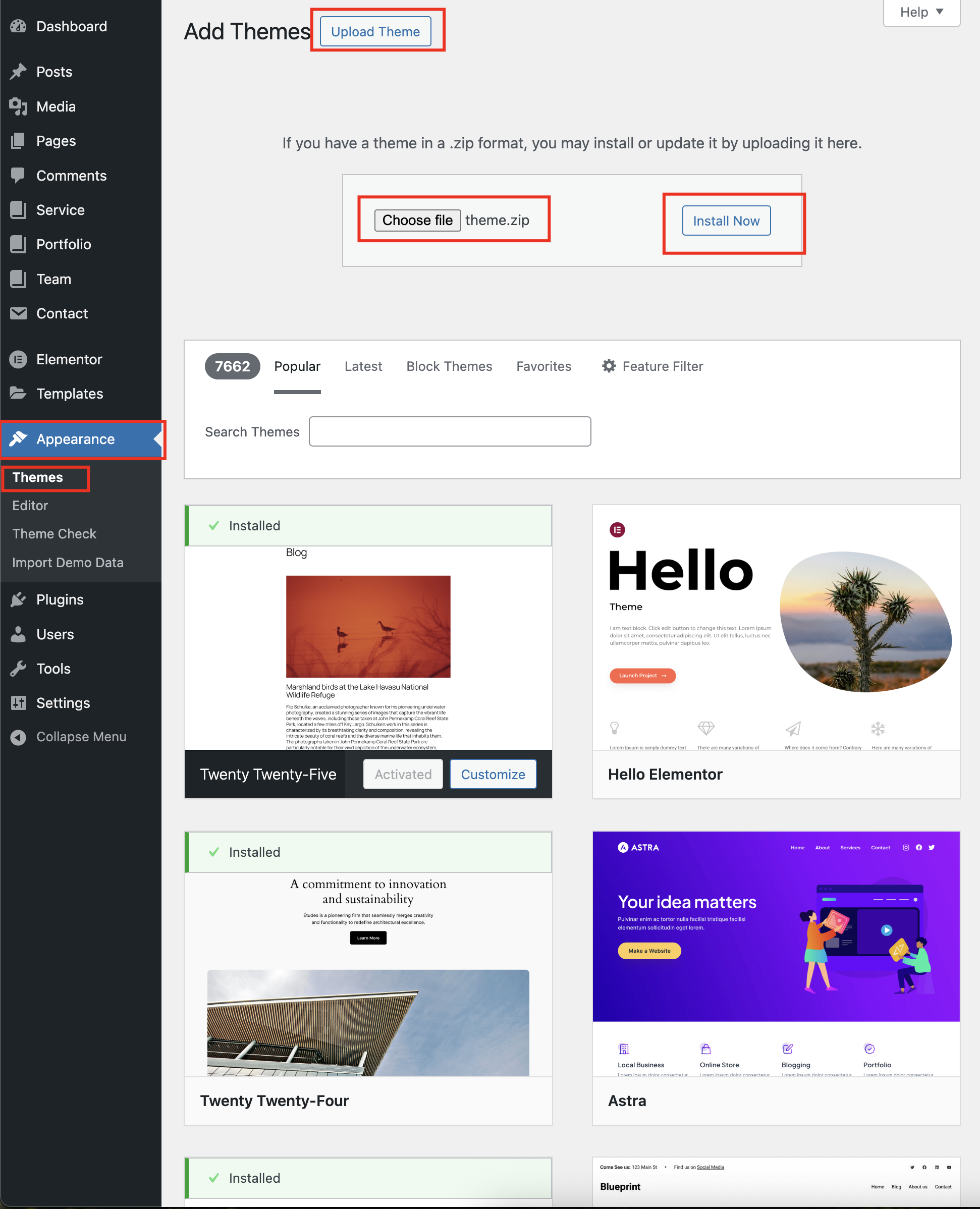
Navigate to Appearance > Themes
Click Add New button on top of the page.
Then click Upload Theme
Browse to the transova.zip file and click Install now for the theme to be uploaded and installed.
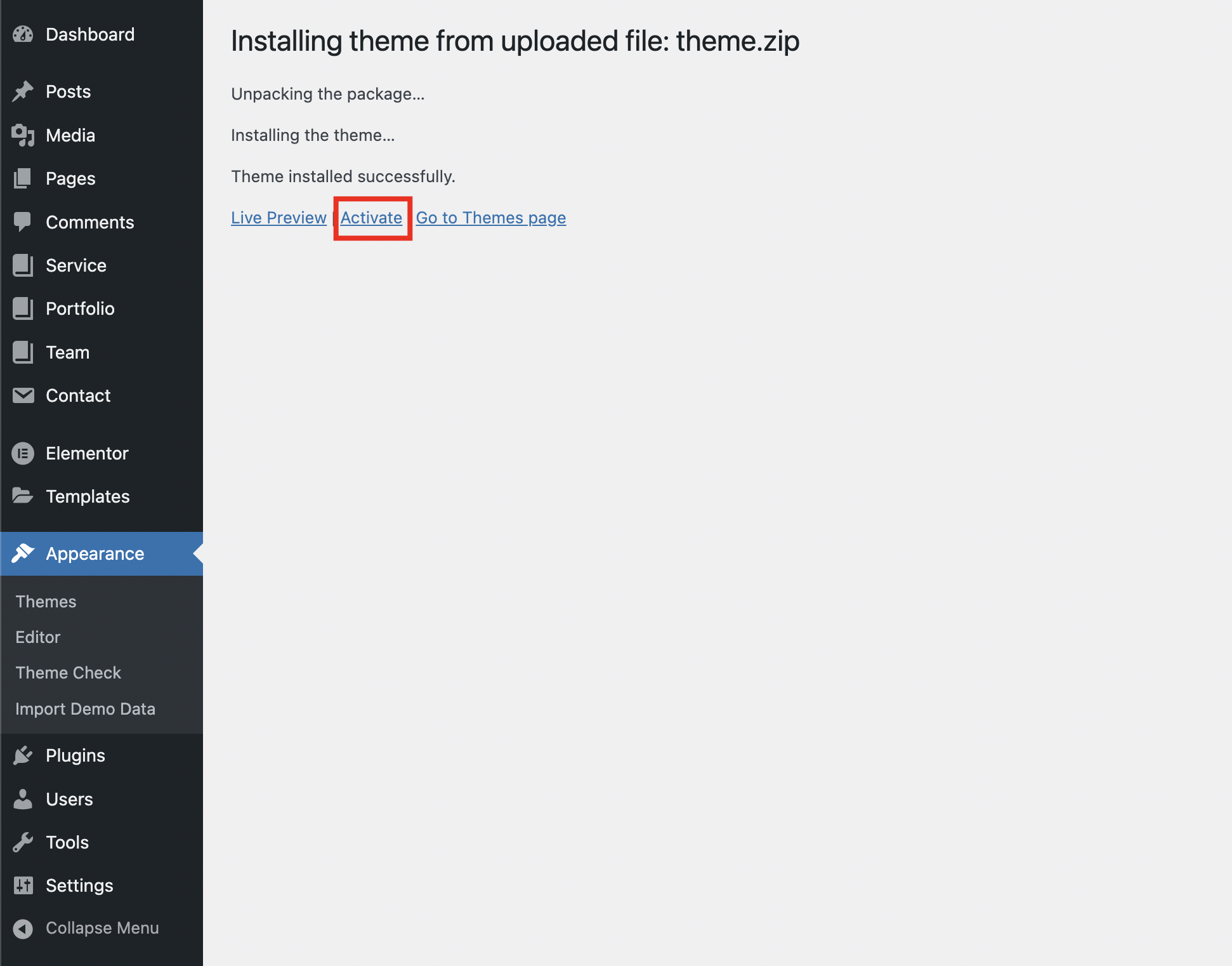
After done installing, click Activate the theme