Demo Content Import
To help you quickly set up your website like the theme demo, we’ve included support for the One Click Demo Import plugin.
This tool automatically imports all demo pages, posts, widgets, and theme settings with a single click.
Importing the Demo Content
- Navigate to Dashboard → Appearance → Import Demo Data.
- Click the Import Demo Data button.
- Wait for the process to complete — this may take a few minutes.
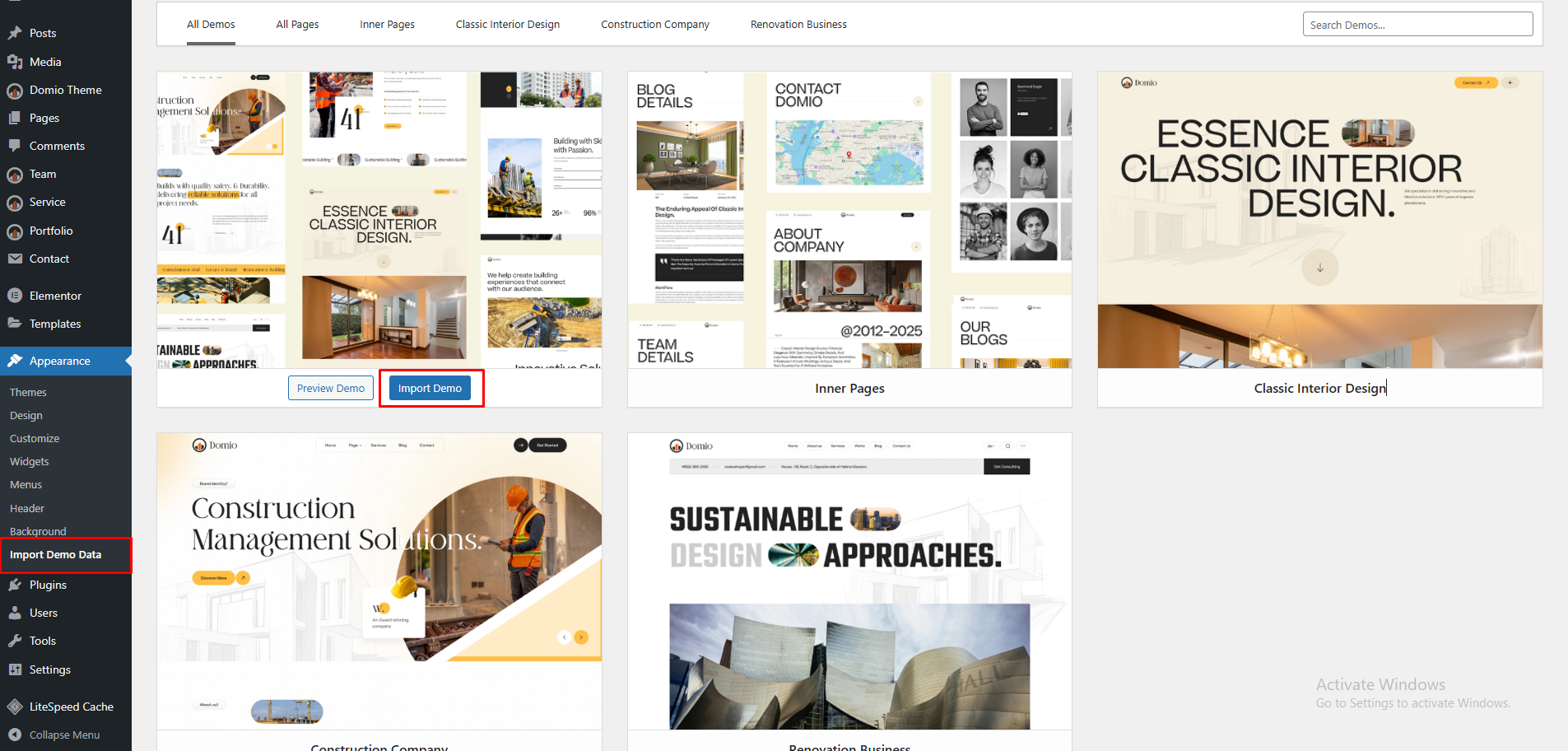
After Import
Once the import finishes:
- Your site will include all sample pages, posts, and widgets.
- The homepage and menus will be automatically assigned.
- You can start customizing your site using Elementor.
💡 Tip: If the import fails, deactivate unnecessary plugins and try again.
A fresh WordPress installation is recommended for the best results.
Next Steps
- Edit imported pages using Elementor.
- Update images, text, and links with your own content.
- Customize global colors, fonts, and layouts from Elementor → Site Settings.
With the demo content imported, your website will look just like the live demo — ready for your customization.