Install Required Plugins
Once you activate the Domio theme, you will see a notice prompting you to install the required plugins.
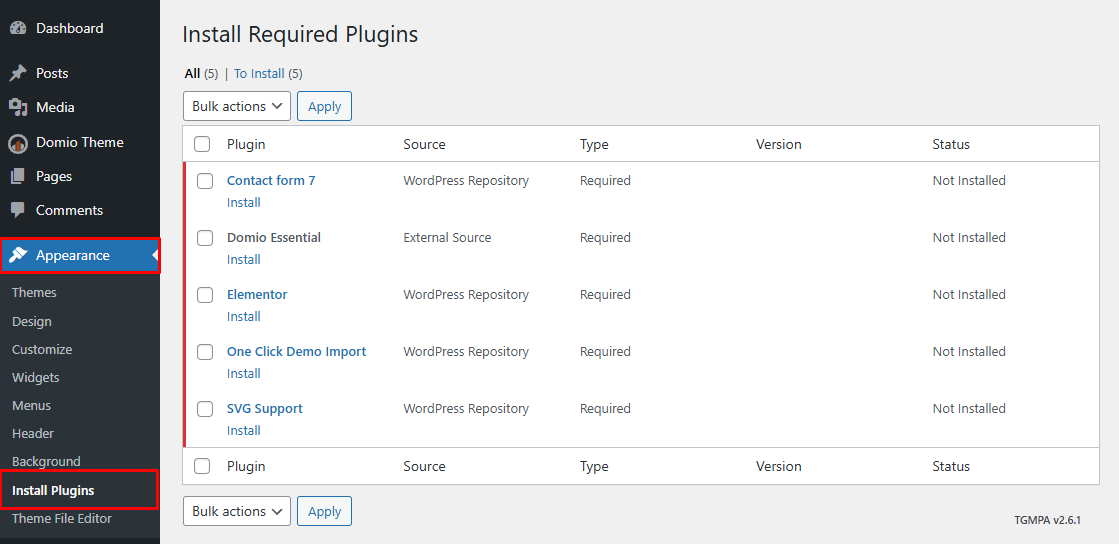
🪜 Step 1: Begin Installing Plugins
Navigate to Appearance → Install Plugins. to start the installation process.
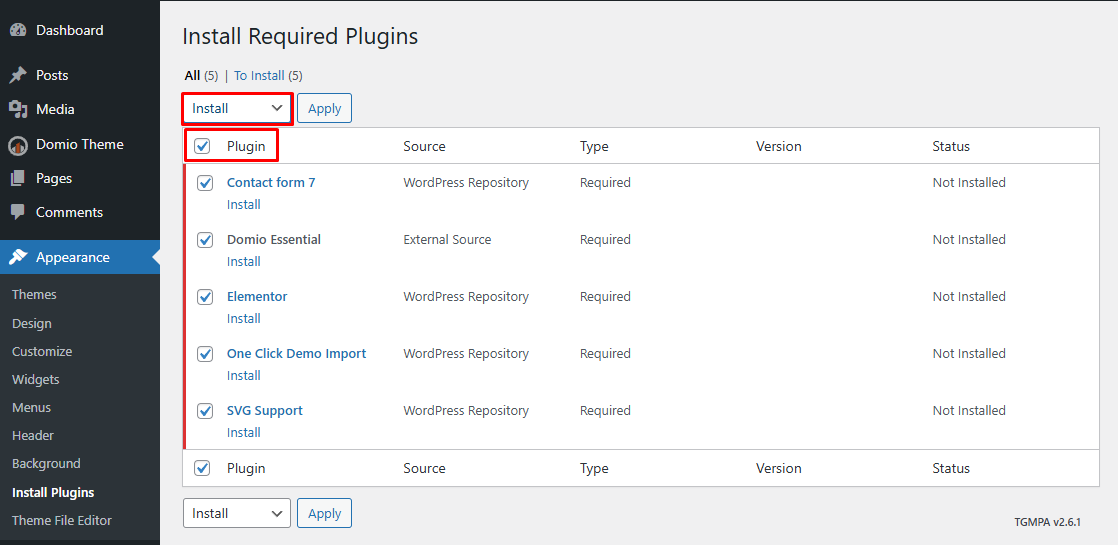
🪜 Step 2: Select and Install Plugins
- Select all required plugins.
- From the Bulk Actions dropdown menu, choose Install.
- Click Apply.
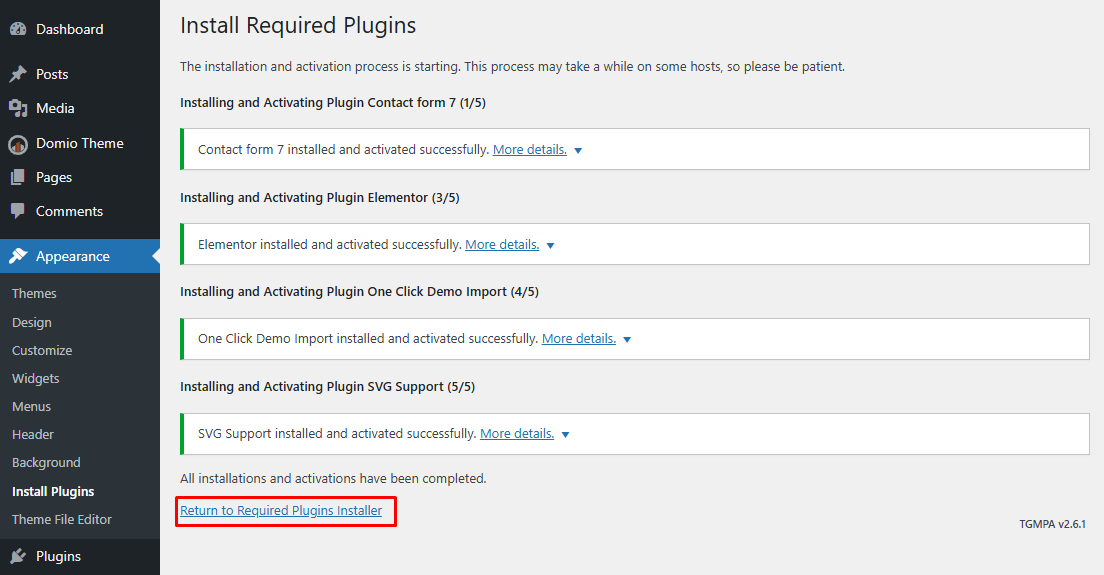
🪜 Step 3: Complete Installation
Once all plugins are installed successfully:
- Click Return to Required Plugins Installer to proceed.
🎥 Video Tutorial
For a visual walkthrough, watch this short tutorial:
✅ Done!
You’ve successfully installed all the required plugins for the Domio theme.