Updating Theme
🎨 Step 1: Activate a Temporary Theme
Before deleting your current theme, you must first activate another one.
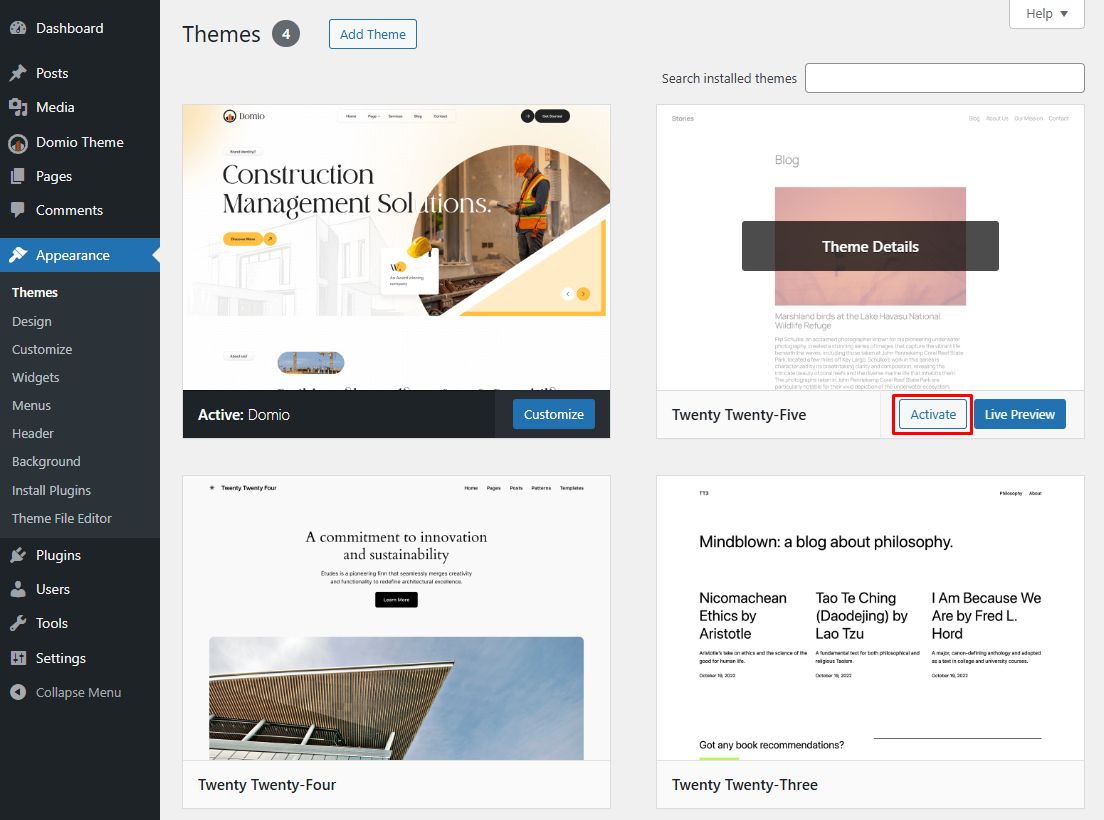
- Navigate to Appearance → Themes.
- Hover over a different theme (e.g., “Twenty Twenty-Five”).
- Click Activate.
🗑️ Step 2: Delete the Old Theme
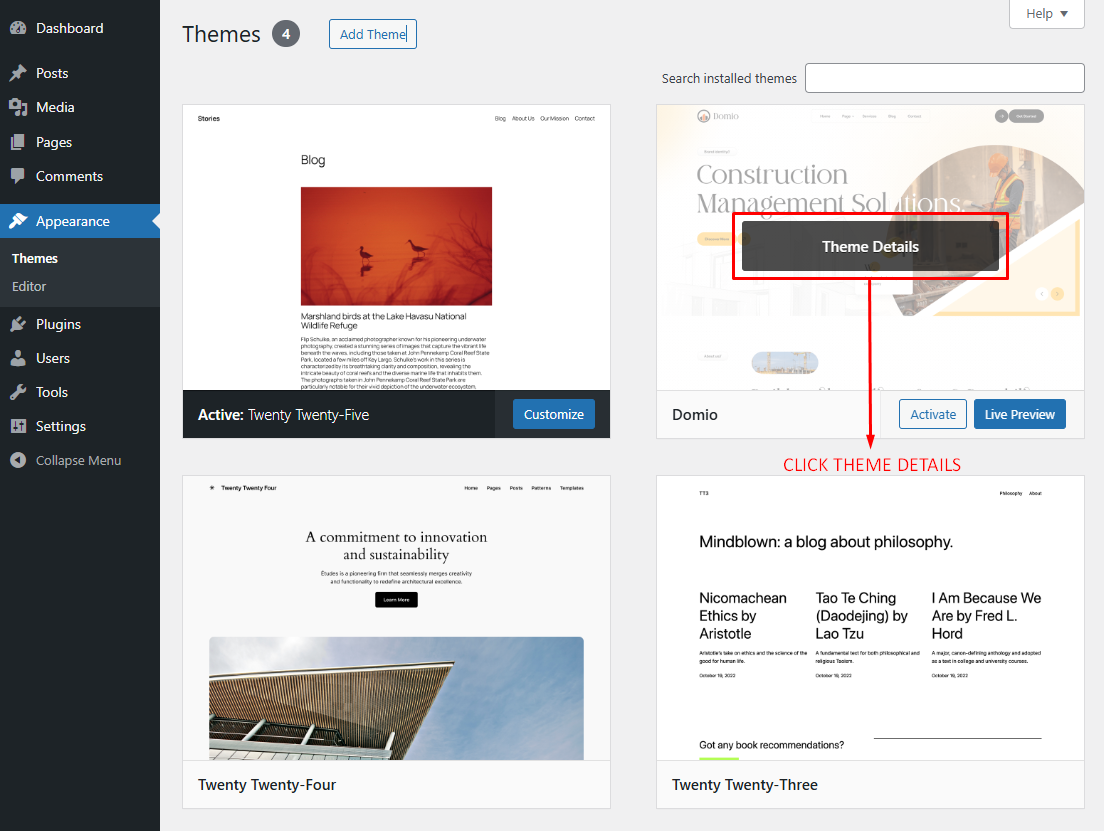
- Go back to Appearance → Themes.
- Click on the Theme Details to view its details.
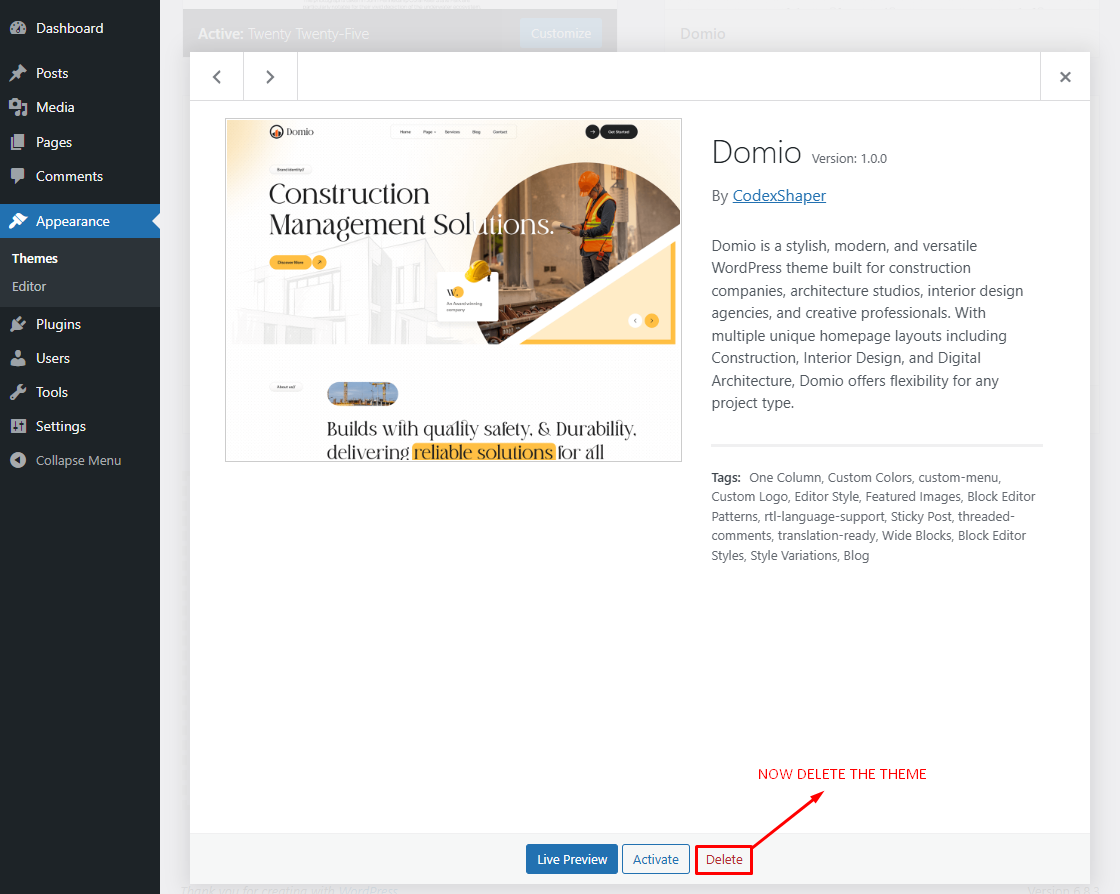
- In the bottom-right corner, click Delete.
- Confirm the deletion.
📦 Step 3: Reinstall the Updated Theme
Now install the latest version of your desired theme.